 06 May 2026
 Share
Share
1
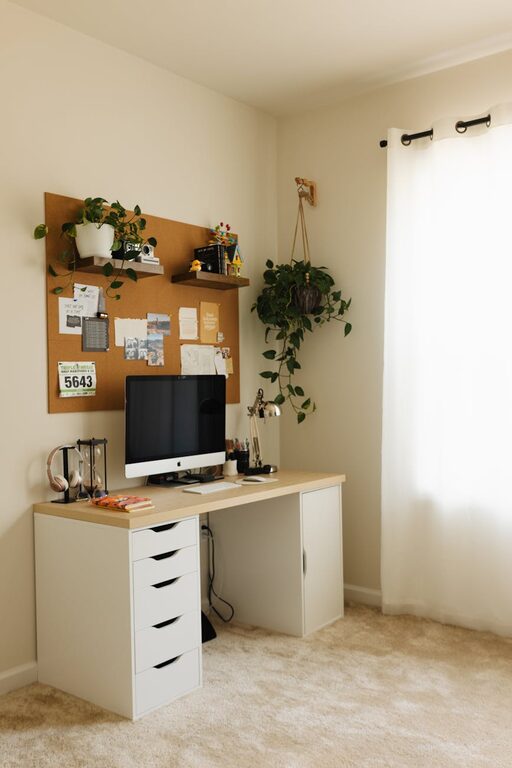

Creating a dedicated home workspace that is both productive and clutter-free can greatly improve your ability to focus and get work done efficiently. Whether you work remotely full-time or occasionally need a quiet spot to tackle tasks, organizing your workspace is essential for a clear mind and a smooth workflow. In this post, we’ll share practical tips to help you set up and maintain an inviting, organized home office.
A cluttered environment can easily lead to distractions and stress. When your desk is filled with papers, cables, and random items, it’s harder to find what you need. By keeping your workspace tidy, you create a mental space that encourages concentration, creativity, and productivity.
Start by finding the best spot in your home for your workspace.
– Natural light is a plus: Position your desk near a window if possible. Natural light helps reduce eye strain and boosts mood.
– Quiet corners work best: Pick a place away from household traffic and noise.
– Consider your needs: Do you require extra space for paperwork or equipment? Choose a location that gives you enough room to work comfortably.
A comfortable and functional setup is key.
– Ergonomic chair: Invest in a chair that supports good posture.
– Desk with storage: Desks with drawers or shelves help keep items off your workspace.
– Proper lighting: Use a desk lamp with adjustable brightness to prevent eye strain.
– Technology essentials: Ensure your computer, keyboard, mouse, and other devices are organized with cable management solutions.
Go through your workspace weekly to remove items that don’t belong or are no longer needed. This prevents clutter buildup.
– Drawers and shelves: Utilize desk drawers for supplies and paperwork.
– Organizers: Use trays, bins, and file holders to group similar items.
– Labeling: Add labels to your storage containers to find items quickly.
Limit what stays visible to items you use every day. Store other items nearby but out of sight.
Use cable ties, clips, or a cable box to prevent wires from tangling and cluttering your space.
Implement a routine to keep your workspace organized and your tasks on track.
– Daily review: At the start and end of each day, organize your desk and create or review your to-do list.
– Inbox and outbox system: Designate a spot for incoming documents and another for items to be filed or processed.
– Digital organization: Keep your computer files and emails sorted into folders to reduce digital clutter.
Adding personal touches can make your workspace inviting, but be mindful to avoid overwhelming the area.
– Choose a few photos or decorative items that inspire you.
– Keep plants small and low-maintenance to add freshness.
– Use a color scheme that promotes calm and focus.
– Set aside time weekly for tidying up.
– Review your supplies occasionally and replace only what you need.
– Adjust your workspace as your needs change.
Organizing a productive and clutter-free home workspace is about creating an environment that supports your daily tasks with minimal distractions. By choosing the right location, selecting functional furniture, decluttering regularly, and establishing good habits, you can build a space where you can focus and thrive. Remember, a well-organized workspace is a foundation for effective work and peace of mind. Start small and make gradual improvements to transform your home office into a productivity haven.