
 06 May 2026
 Share
Share
1
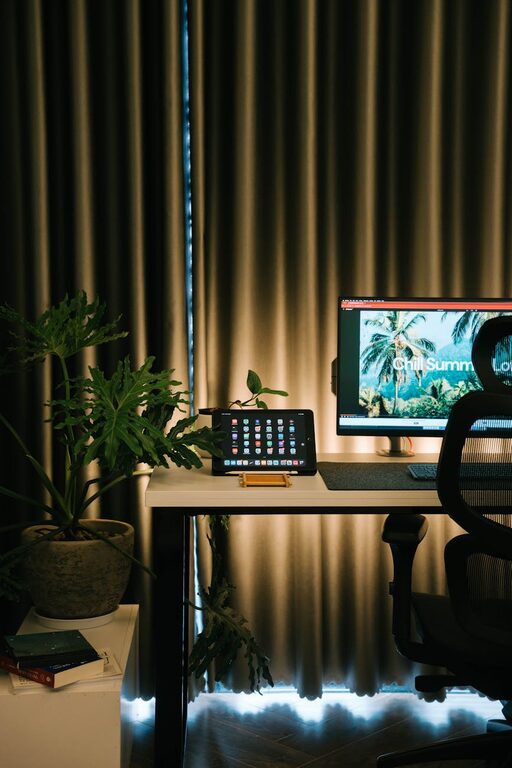
Creating a cozy and functional home workspace is essential for anyone working or studying from home. A well-designed workspace not only enhances productivity but also makes working more enjoyable and less stressful. Whether you have a dedicated room or a small nook, these tips will help you craft a space that is both inviting and efficient.
Select a place in your home that is quiet and free from distractions. If possible, pick an area with a door so you can separate work from the rest of your living space.
Natural light can improve mood and focus. Place your desk near a window to take advantage of daylight, but avoid direct glare on your computer screen.
A comfortable chair with proper lumbar support is crucial. It prevents back pain and helps you sit for longer periods without discomfort.
Choose a desk that fits your space and allows room for your computer, documents, and other work essentials. Adjustable desks that switch between sitting and standing positions can also promote better health.
Keep your desk clutter-free by using shelves, drawers, or organizers. Labeling files and containers can save time and reduce frustration.
Tidy up cables with clips or sleeves to avoid a tangled mess. Consider wireless accessories when possible to minimize wires.
Include items like cushions, a soft rug, or a cozy blanket. These touches make your workspace feel welcoming.
Incorporate artwork, plants, or motivational quotes. Plants, in particular, can improve air quality and create a calming atmosphere.
Use a mix of lighting options: natural light during the day and desk lamps or overhead lights for evening work. Adjustable lamps allow you to control brightness and direction.
Opt for soft white or daylight bulbs to reduce eye strain and maintain focus.
Your screen should be at eye level and about an arm’s length away to prevent neck and eye strain.
Arrange your keyboard, mouse, and frequently used supplies so you don’t have to stretch or twist repeatedly.
Establish clear work times to help maintain a healthy work-life balance.
Step away from your desk every hour to stretch or walk around. This refreshes your mind and body.
Noise-cancelling headphones can help you focus in noisy environments.
Inform family members or roommates of your work schedule to reduce disturbances.
—
By following these tips, you can design a home workspace that feels cozy, keeps you comfortable, and supports your daily tasks effectively. Remember, the key is to create a space that suits your personal needs and preferences, making work something to look forward to each day.
